Stationery Brand Identity Mockup V2 Review
In the competitive landscape of graphic design and branding, the presentation of a final product is often just as critical as the design itself. A logo or stationery set may be technically perfect, but if it is displayed on a flat, generic background in a portfolio or client pitch, its potential impact can be significantly diminished. This is where high-quality mockups serve as an essential bridge between raw digital files and tangible reality. The Stationery Brand Identity Mockup V2 emerges as a practical tool for designers seeking to elevate their visual storytelling without requiring advanced 3D modeling skills. It offers a streamlined solution for professionals who need to showcase business cards, letterheads, envelopes, and related collateral in a realistic context.
This review evaluates the Stationery Brand Identity Mockup V2 based on its technical specifications, usability, flexibility, and overall value for various creative workflows. By examining its features and limitations, we can determine whether this asset aligns with the needs of freelancers, agency teams, and solo entrepreneurs looking to present their brand identity work with clarity and professionalism.
Understanding the Purpose and Format
The core function of the Stationery Brand Identity Mockup V2 is to provide a realistic 3D display environment for stationery designs. Unlike simple 2D overlays that flatten the perception of depth, this mockup utilizes perspective and lighting cues to simulate how printed materials would look in the physical world. This realism is crucial for client presentations, where stakeholders need to visualize the tactile quality and spatial arrangement of brand elements.
The file is delivered in PSD (Photoshop) format, which remains the industry standard for layered image editing. This choice ensures compatibility with the most widely used design software among creative professionals. The inclusion of smart-object features is a significant advantage, allowing users to replace placeholder designs with their own artwork seamlessly. Instead of manually adjusting layers, masks, and blend modes—a process that can be time-consuming and prone to error—designers can simply double-click the smart object, paste their design, save, and watch the mockup update automatically. This efficiency is particularly valuable when working under tight deadlines or managing multiple client revisions.
Technical Specifications and Quality
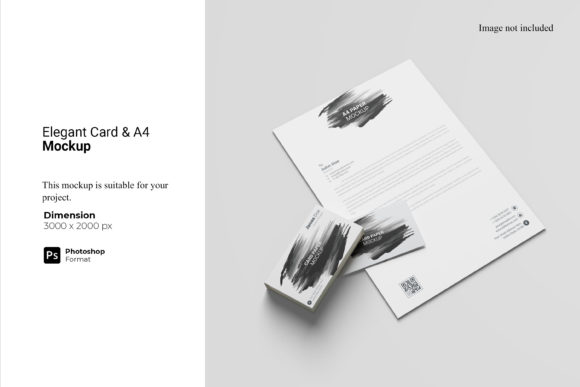
From a technical standpoint, the Stationery Brand Identity Mockup V2 is built for high-resolution output. With a size of 3000x2000 pixels and a resolution of 300 dpi, the file supports large-format prints and detailed digital zooming without loss of clarity. For web-based portfolios, this resolution allows for crisp images that render sharply on retina displays, enhancing the perceived quality of the designer’s work.
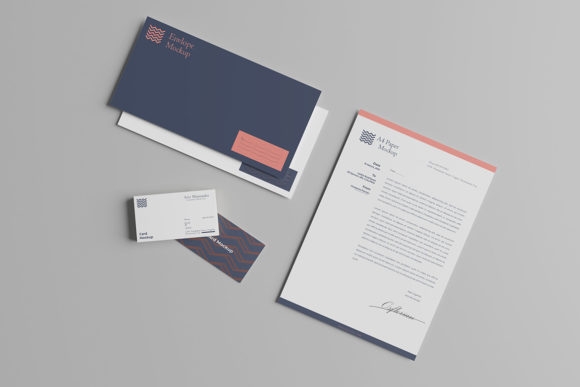
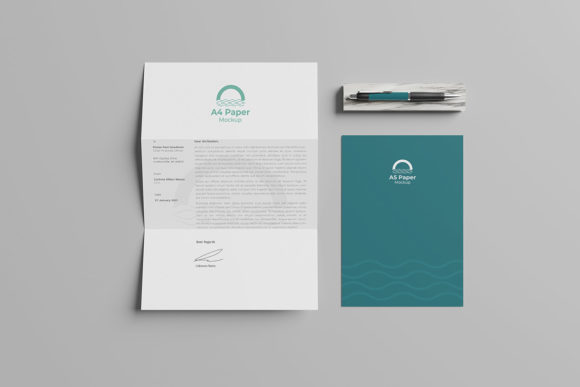
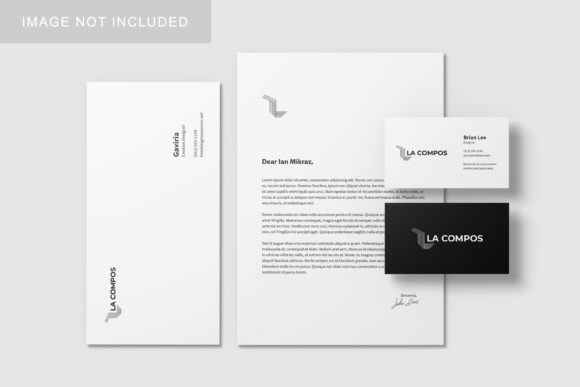
The mockup includes three distinct items, typically comprising common stationery pieces such as business cards, folders, or letterheads. While the specific contents may vary slightly depending on the creator’s interpretation, the emphasis is on versatility. The ability to change the background color adds another layer of customization. Designers are not locked into a single aesthetic; they can adjust the backdrop to match their personal brand palette or to create contrast that highlights the stationery elements more effectively. This flexibility reduces the need to download multiple variations of the same mockup for different projects.
Usability and Workflow Integration
One of the primary concerns for any digital asset is the learning curve. The Stationery Brand Identity Mockup V2 addresses this by providing a PDF help guide. While experienced Photoshop users may find smart objects intuitive, beginners or those less familiar with advanced layer techniques benefit from clear instructions. The presence of documentation indicates a thoughtful approach to user experience, ensuring that the tool is accessible to a broader range of skill levels.
The ease of use extends to the replacement process. Because the smart objects are pre-wrapped to follow the perspective of the stationery items, designers do not need to manually distort their artwork. This consistency ensures that the final output looks natural and professionally rendered every time. However, it is important to note that the effectiveness of this workflow depends on the complexity of the user’s design. Intricate layouts with heavy shadows or drop effects may require additional adjustment within the smart object to ensure they interact correctly with the mockup’s lighting and shadows.
Strengths and Practical Value
The strengths of the Stationery Brand Identity Mockup V2 lie in its balance of realism and simplicity. It avoids the overly stylized or cluttered aesthetics found in some premium mockups, opting instead for a clean, neutral presentation that lets the design speak for itself. This neutrality is a strategic advantage, as it minimizes distraction and keeps the focus on the brand identity elements being showcased.
For agencies and freelance designers, the time saved through the smart-object system translates directly into cost efficiency. When pitching to clients, having a polished presentation can influence decision-making. A well-presented mockup suggests attention to detail and a commitment to quality, traits that are highly valued in professional relationships. Furthermore, the ability to quickly swap designs allows for rapid iteration during the brainstorming phase, enabling designers to test multiple color schemes or layout variations without starting from scratch.
Limitations and Considerations
No tool is without its limitations, and the Stationery Brand Identity Mockup V2 is no exception. The preview images provided in marketing materials are for illustration purposes only and do not include the actual photos used in the mockup. Users should be aware that the final look will depend on the lighting and texture settings baked into the PSD file. While these are generally high-quality, they may not replicate the unique lighting conditions of a specific photoshoot. Designers aiming for hyper-realistic results might need to composite additional elements or adjust lighting manually.
Additionally, the fixed number of items (three) may not suit all project requirements. Some brand identities involve extensive stationery suites, including business card holders, pens, or packaging. In such cases, this mockup serves as a component rather than a complete solution. Users may need to supplement it with other assets to fully represent their brand ecosystem. However, for focused presentations on core stationery items, the three-item limit is sufficient and prevents visual clutter.
Who Benefits Most?
The Stationery Brand Identity Mockup V2 is particularly well-suited for:
- Freelance Graphic Designers: Those who need to produce professional-looking portfolios and client pitches efficiently without investing hours in custom mockup creation.
- Marketing Professionals: Marketers presenting brand guidelines or collateral options to internal teams or external partners who may not have design expertise but appreciate visual clarity.
- Small Business Owners: Entrepreneurs who design their own branding materials and want to visualize them before printing to avoid costly mistakes.
- Design Educators: Instructors demonstrating best practices in brand presentation to students, using a reliable template that emphasizes proper spacing and context.
Conversely, seasoned 3D artists or studios with dedicated resources for custom photography may find this mockup too basic for their high-end commercial needs. For them, the lack of customizable lighting angles and material textures might feel restrictive. However, for the majority of practitioners who prioritize speed, reliability, and professional appearance over bespoke artistic control, this tool offers strong utility.
Final Assessment
The Stationery Brand Identity Mockup V2 stands out as a functional, no-nonsense asset for anyone involved in brand identity design. Its reliance on smart objects ensures a smooth workflow, while its high resolution and neutral aesthetic make it versatile across various industries. While it may not replace the need for custom photography in every scenario, it provides a robust fallback that maintains high standards of presentation. For designers looking to streamline their process and enhance the visual impact of their stationery designs, this mockup represents a sensible investment of time and resources. It embodies the principle that good design tools should facilitate creativity, not hinder it with unnecessary complexity.