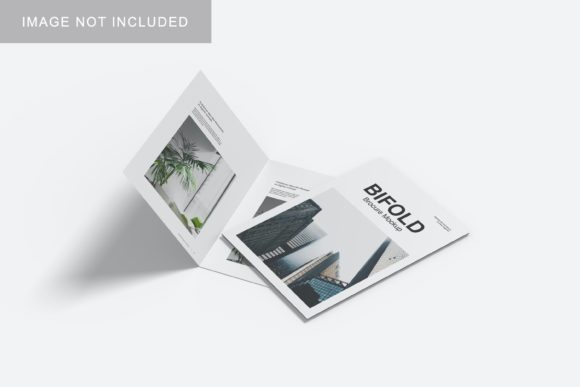
Bifold Mockup V4: Professional 3D Presentation Tool
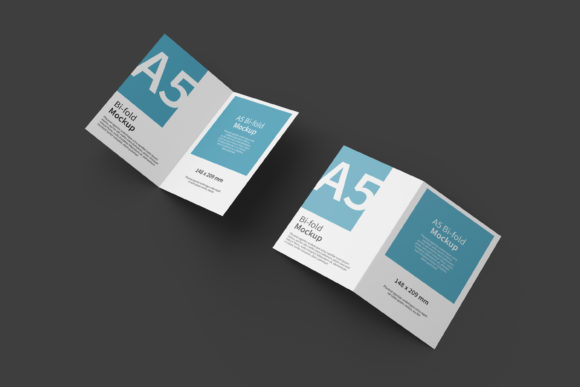
In the competitive landscape of graphic design and brand presentation, the difference between a good portfolio and a great one often lies in how the work is displayed. A flat image on a screen rarely captures the tactile reality of a physical product. This is where Bifold Mockup V4 becomes an essential asset for professionals who need to bridge the gap between digital creation and real-world perception. Designed specifically for those who value realism and efficiency, this tool allows you to showcase your designs in a sophisticated, three-dimensional context that resonates with clients and stakeholders.
The core value of Bifold Mockup V4 is its ability to transform standard two-dimensional artwork into a compelling visual narrative. Whether you are a freelancer pitching a new branding package to a small business owner or a marketer preparing assets for a campaign launch, the way your design is presented can significantly influence decision-making. By utilizing realistic 3D displays, you provide a tangible sense of scale, texture, and finish, which helps potential buyers or clients visualize the final product more accurately. This visualization capability reduces uncertainty and accelerates the approval process, making it a practical investment for anyone serious about their craft.
Simplifying the Design Workflow with Smart-Objects
One of the most significant hurdles in creating high-quality mockups has traditionally been the technical complexity involved. Many designers spend hours manually masking, warping, and blending images into perspective views. Bifold Mockup V4 addresses this pain point directly through its integration of smart-object features within the PSD Photoshop format. This functionality is not just a convenience; it is a workflow accelerator that respects your time.
The system is designed for immediate usability. Once you open the file in Adobe Photoshop, the layers are pre-configured to accept your artwork. You simply double-click the designated smart-object layer, paste or place your design, save the changes, and the mockup updates instantly. This process eliminates the need for complex manual adjustments, allowing you to replace current designs with your own within seconds. For creators who juggle multiple projects or need to present several variations to a client, this speed is invaluable. It shifts the focus from technical execution to creative strategy, ensuring that your energy is spent on refining the design itself rather than fighting with software tools.
To ensure a smooth experience, the package includes a PDF help guide. While the interface is intuitive, having clear instructions ensures that even users who are less familiar with advanced Photoshop techniques can navigate the file structure confidently. This support level makes Bifold Mockup V4 accessible to a broad audience, including hobbyists and educators who may be incorporating professional-grade presentation tools into their teaching or personal projects.
Technical Precision and Visual Clarity
A mockup is only as effective as its resolution and detail. Bifold Mockup V4 is built with high standards in mind, offering a substantial canvas size of 3000x2000 pixels at 300 dpi. This resolution is critical for professional use cases where the mockup might be printed for physical portfolios, used in high-resolution web banners, or viewed on large display screens. The sharpness ensures that every edge, shadow, and highlight remains crisp, reinforcing the credibility of the design being presented.
Furthermore, the inclusion of changeable background-color options adds another layer of versatility. In marketing and branding, context matters. A design might look striking against a neutral gray backdrop but could feel out of place against a vibrant color scheme. The ability to adjust the background allows you to tailor the presentation to specific brand guidelines or aesthetic preferences. For instance, a minimalist brand might benefit from a clean white or light beige background, while a bold, energetic startup might choose a darker, more dramatic tone. This flexibility supports stronger communication by aligning the presentation environment with the intended emotional response of the viewer.
Who Benefits Most from This Tool?
While Bifold Mockup V4 is versatile, certain groups will find particular value in its specific feature set:
- Freelancers and Agency Designers: When pitching to clients, first impressions are crucial. Presenting a logo or packaging design in a realistic 3D bifold format demonstrates professionalism and attention to detail. It shows that you have considered the end-user experience, which can justify higher rates and build trust.
- Small Business Owners and Entrepreneurs: If you are launching a new product, such as a brochure, flyer, or packaging, you need to see how it looks in the real world before printing. This mockup allows you to validate your design choices without the cost of physical prototypes, helping to simplify decisions and reduce waste.
- Educators and Students: For those teaching graphic design principles, using realistic mockups provides a better learning outcome. It helps students understand how digital files translate to physical media, bridging the gap between theory and practice.
- Marketers and Bloggers: Content creators often need eye-catching visuals for social media posts or blog headers. High-quality mockups stand out in crowded feeds, increasing engagement and click-through rates. The ease of use means you can quickly generate fresh content for your campaigns.
Practical Considerations and Limitations
As with any digital asset, it is important to approach Bifold Mockup V4 with realistic expectations. The item is available strictly in PSD Photoshop format. Users who rely on alternative design software like Affinity Designer, Canva, or Illustrator will need to either learn basic Photoshop operations or convert their workflow temporarily. This requirement may pose a barrier for some casual users, so it is worth comparing options if you do not have access to Adobe Creative Cloud.
Additionally, while the mockup provides a realistic 3D display, it is a static representation. It does not simulate animation or interactive elements. For products that rely heavily on motion or user interaction, this tool serves as a supplementary visual aid rather than a comprehensive demonstration. Furthermore, the photos used in the preview are for illustration purposes only and are not included in the download. This is standard industry practice, but it means you must supply your own original artwork to populate the mockup.
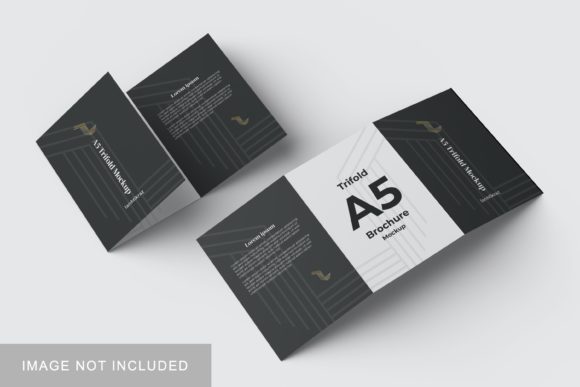
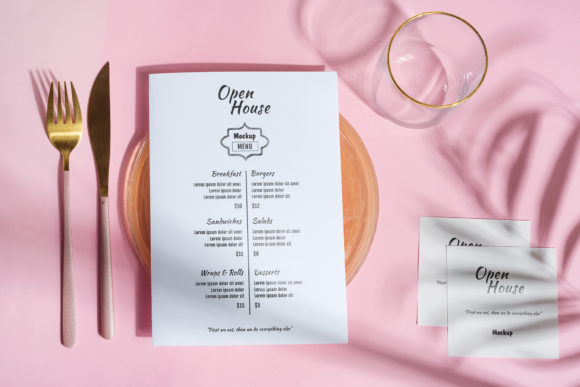
Fit considerations are also relevant. Bifold mockups typically represent folded materials like brochures, menus, or greeting cards. If your design is for a single-page flyer or a rigid box, this specific mockup may not be the best fit. It is always advisable to review the dimensions and folding style of the mockup to ensure it matches your project’s physical specifications. Comparing different mockup styles can help you select the one that best aligns with your specific deliverables.
Enhancing Creativity Through Realism
Ultimately, the goal of using Bifold Mockup V4 is to enhance the overall quality of your design output. By providing a realistic canvas, it encourages designers to think beyond the pixel grid and consider how their work interacts with light, shadow, and material. This shift in perspective can lead to more thoughtful design decisions, such as adjusting contrast levels for better readability in print or choosing colors that pop against specific backgrounds.
The ease of replacing designs via smart-objects also supports iterative creativity. You can quickly test multiple color palettes, typography combinations, or layout variations without starting from scratch. This rapid prototyping capability fosters experimentation, allowing you to refine your ideas until they meet your exact standards. In a field where trends evolve rapidly, having a reliable tool that speeds up your presentation process gives you the agility to stay ahead of the curve.
By integrating Bifold Mockup V4 into your workflow, you are not just buying a template; you are investing in a more professional, efficient, and visually compelling way to share your work. Whether you are aiming to impress a high-value client, educate your students, or simply elevate your personal portfolio, this tool offers the practical benefits needed to support your goals. It simplifies the complex task of presentation, allowing your creativity to take center stage.