Evaluating Four Envelopes Mockup Colours for Professional Design Workflows
In the competitive landscape of graphic design, visual presentation is often as critical as the creative work itself. Designers frequently need to showcase their branding, packaging, or identity systems in a way that feels tangible and realistic. This is where mockups become indispensable tools. Among the various resources available, Four Envelopes Mockup Colours has emerged as a practical option for professionals seeking efficiency without sacrificing quality. Understanding its specific features, technical specifications, and limitations is essential for determining whether it fits your current project requirements.
Understanding the Core Concept and Utility
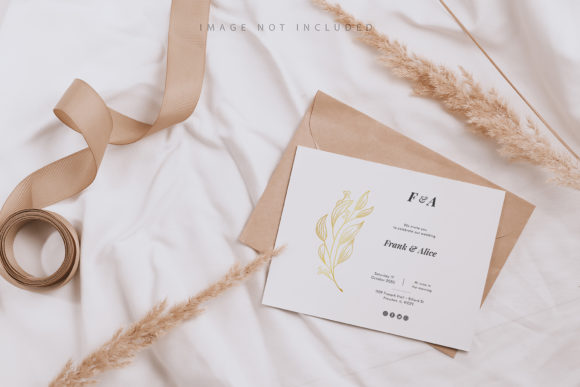
At its foundation, this resource is designed to streamline the process of presenting envelope designs. Unlike complex 3D renders that require significant processing power and time to render, this tool operates on a 2D photographic basis. It provides a high-resolution canvas where designers can drop their artwork and see an immediate result. The primary appeal lies in its simplicity: you do not need advanced skills in lighting or texture mapping. Instead, the focus is on providing a clean, professional backdrop that allows the typography and graphic elements of your design to take center stage.
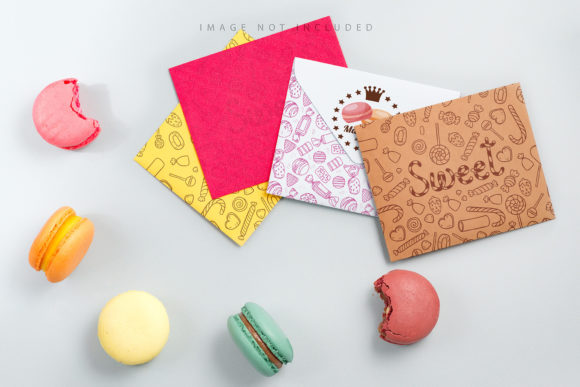
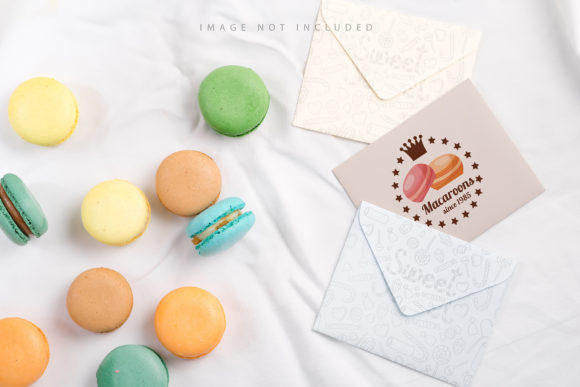
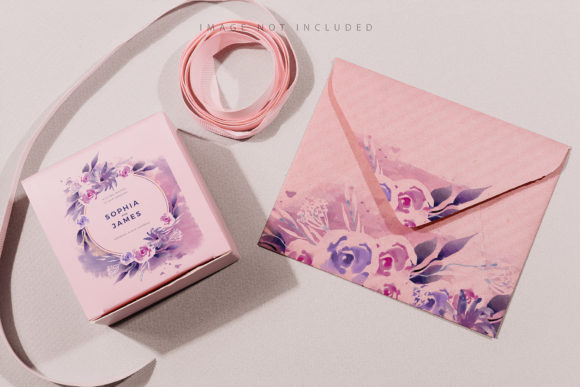
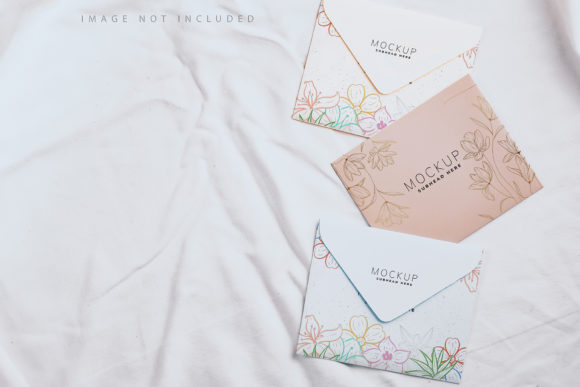
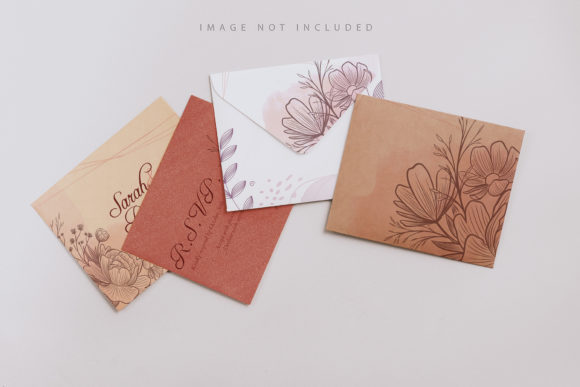
The product includes four distinct color variations, offering versatility for different brand identities. Whether you are working with a minimalist black-and-white aesthetic or a warm, earthy palette, having multiple background options within a single package saves time. This variety allows designers to present the same envelope design against different environmental contexts, helping clients visualize how the branding might perform in real-world scenarios. For instance, a corporate client might prefer a stark white background to emphasize precision, while a creative agency might opt for a textured beige to suggest warmth and approachability.
Technical Specifications and Workflow Efficiency
For designers who value speed and precision, the technical setup of Four Envelopes Mockup Colours is particularly noteworthy. The files are provided in Photoshop format (.psd) with a resolution of 6016×4016 pixels at 300 DPI. This high resolution ensures that when the final image is exported for web use or printed as a physical portfolio piece, the details remain crisp and clear. There is no pixelation or blurring, which is a common issue with lower-quality mockups found on free stock sites.
The workflow is built around the use of smart objects, a feature that significantly reduces the learning curve. To apply your design, you simply open the layer labeled as the smart object, paste your artwork into it, and save. The mockup updates automatically. This non-destructive editing method means you can experiment with different layouts, colors, or fonts without altering the original base file. If you make a mistake, you can easily revert to the previous state by re-pasting your corrected design. This iterative process is crucial for collaborative environments where feedback loops are frequent.
Additionally, the inclusion of documentation within the file structure is a subtle but valuable feature. While some premium mockups come with extensive video tutorials or lengthy PDF guides, this resource relies on intuitive layer naming and organization. However, for those who prefer explicit instructions, the included documentation clarifies the steps, ensuring that even junior designers or clients with basic Photoshop knowledge can achieve professional results independently.
The Role of Safety Zones in Precision Placement
One of the standout features of this mockup is the implementation of safety zones. In design, margins and safe areas are critical to ensure that important text or logos are not cut off during printing or folding. The Four Envelopes Mockup Colours template includes visible guide lines that indicate these safety zones. These lines are part of a separate layer that can be toggled on or off.
By activating the safety zone layer, designers can visually verify that their typography and key graphical elements stay within the printable area. This prevents costly errors where a logo might end up too close to a fold line, rendering it unreadable or aesthetically displeasing. For print-on-demand services or large-scale production runs, this level of accuracy is non-negotiable. The ability to see these boundaries directly within the PSD file eliminates the need to guess or manually calculate margins, reducing the risk of human error.
Comparing 2D Photographic Mockups vs. 3D Alternatives
When evaluating design tools, it is important to understand the tradeoffs between different formats. A common question among designers is whether to invest in complex 3D mockups or stick with simpler 2D photographic templates like Four Envelopes Mockup Colours. Each approach has distinct advantages depending on the project scope.
3D mockups offer unparalleled realism. They allow you to manipulate angles, lighting, and shadows dynamically, creating images that look indistinguishable from photographs taken in a studio. However, they often require powerful hardware to run smoothly and can have steep learning curves. Adjusting the camera angle or material properties in a 3D scene can be time-consuming. Furthermore, 3D files are often larger and more prone to crashing if layers are not managed correctly.
In contrast, the photographic nature of this envelope mockup offers speed and stability. Because it is a flat image rather than a dynamic 3D model, it loads quickly and opens reliably across different versions of Photoshop. The "photo not 3D" aspect means that the lighting and shadows are baked into the background image. While this limits your ability to change the angle of view, it also guarantees consistency. Every time you update the smart object, the perspective remains identical, which is ideal for creating uniform series of images for social media or portfolio grids.
Another consideration is file size and storage. High-quality 3D scenes can consume gigabytes of space, whereas this 2D solution is lightweight. For freelancers managing multiple projects simultaneously, the reduced system load and smaller file sizes can lead to a smoother overall workflow. The decision ultimately hinges on whether you prioritize photorealistic manipulation (favoring 3D) or rapid, consistent presentation (favoring 2D).
Limitations and Considerations for Buyers
No tool is perfect, and understanding the limitations of Four Envelopes Mockup Colours is crucial for setting realistic expectations. First and foremost, the background and design colors do not change automatically based on your input. The mockup provides a static environment; if you need the envelope paper itself to change color to match a specific brand guideline, you would need additional editing skills beyond simple smart object replacement. You cannot, for example, turn a white envelope into a vibrant red one by simply pasting a red design into the smart object. The base texture remains constant.
Furthermore, it is important to note that any typography used in the mockup’s decorative elements is not included in the download. The sample text seen in preview images is purely for demonstration purposes. Designers must supply their own fonts and typefaces. This is a standard practice in the industry, but it is worth highlighting so that users do not assume all assets are bundled. If your brand relies heavily on custom lettering, you will need to integrate your own font files into the design before placing it in the smart object.
Additionally, because this is a 2D photo, the lighting effects are fixed. If your design requires dramatic shadows or highlights that interact with the envelope's folds, you may need to add those effects manually using layer styles in Photoshop. While the smart object handles the main artwork placement, fine-tuning the integration of shadows and reflections may require a basic understanding of blending modes.
Determining the Best Fit for Your Needs
So, who should consider using Four Envelopes Mockup Colours? It is ideally suited for graphic designers, branding specialists, and marketing professionals who need to produce high-quality presentation materials quickly. If you are preparing a pitch deck for a client, creating listings for an online store, or updating your portfolio, this tool provides a polished look with minimal effort. The safety zones make it particularly valuable for print designers who want to ensure their work meets production standards before sending files to press.
Conversely, if you are looking for hyper-realistic 3D animations or need to simulate complex material changes (such as foil stamping or embossing that interacts dynamically with light), this 2D mockup may fall short. In such cases, investing in a dedicated 3D asset library might be more appropriate. Similarly, if your workflow involves frequent changes to the background environment or lighting conditions, a more flexible, vector-based or 3D solution would offer greater adaptability.
Final Thoughts on Value and Application
The value of Four Envelopes Mockup Colours lies in its balance of quality and convenience. It strips away the complexity of advanced rendering while maintaining a professional aesthetic. The 6016×4016 px resolution ensures that your work looks sharp on large displays, and the smart object functionality makes iteration effortless. By clearly defining what is included—high-quality visuals, safety guides, and straightforward instructions—and what is not—dynamic color changing or included typography—it sets clear expectations for the user.
For designers seeking a reliable, no-fuss tool to elevate their envelope presentations, this mockup offers a solid foundation. It respects the designer’s time by automating the tedious aspects of layout and formatting, allowing you to focus on the creative core of your project. When weighed against more complex alternatives, its strength is its simplicity. It does not try to do everything; instead, it excels at doing one thing well: providing a clean, accurate, and efficient way to display envelope designs.
Ultimately, the choice depends on your specific project needs. If you prioritize speed, consistency, and ease of use, this resource is a strong candidate. If you require deep customization of lighting and geometry, you may need to look elsewhere. However, for the vast majority of branding and identity projects, the clarity and professionalism offered by this mockup provide sufficient impact to impress clients and stakeholders alike.